Outbound Phone Number Not Showing in ChatDash
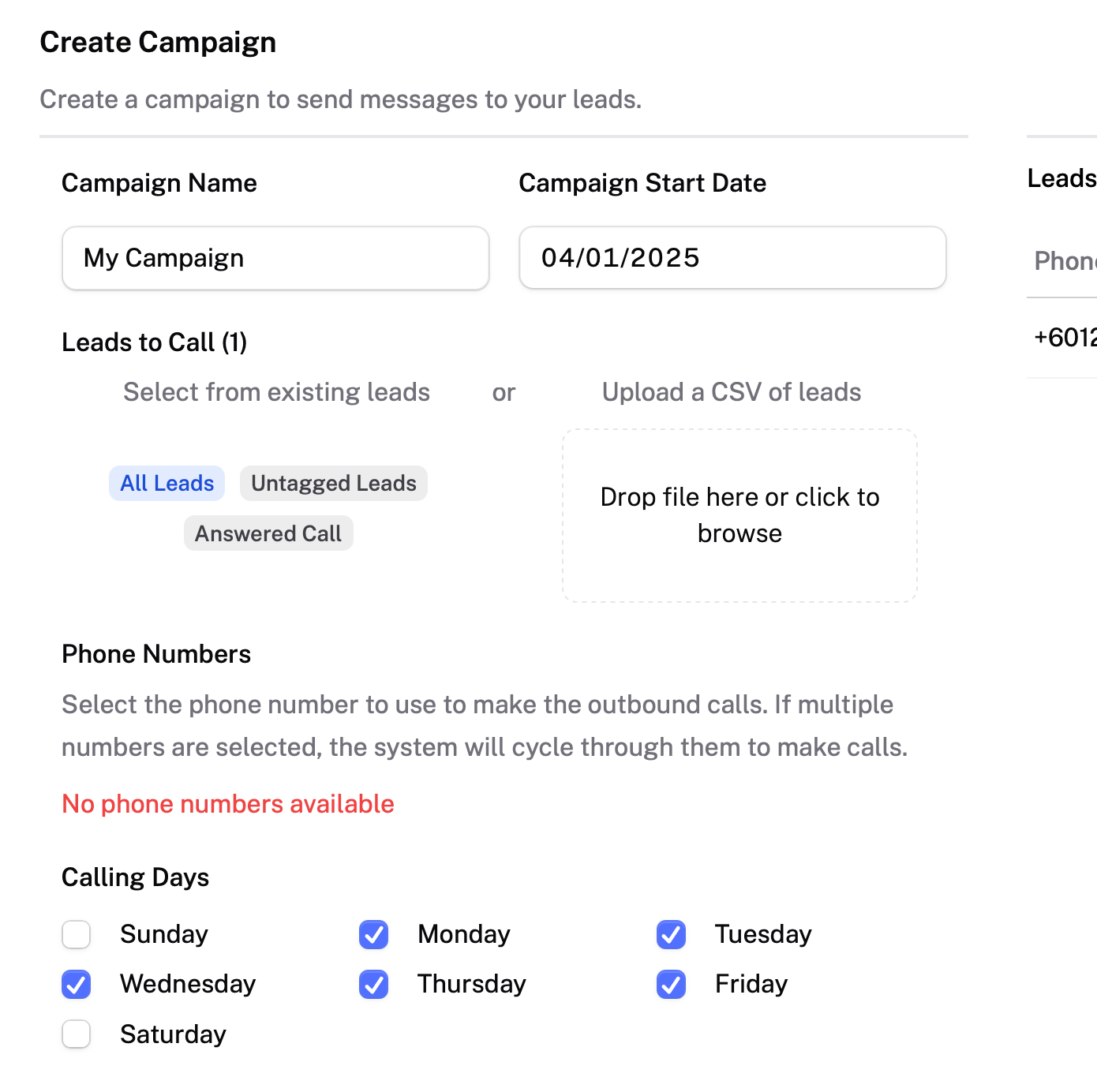
Hi, I noticed that in the ChatDash "Create Campaign" screen, there’s a message saying "No phone numbers available" under the Phone Numbers section, even though I’ve already assigned an outbound phone number in Retell AI.
Could you help me understand why it’s not showing up here? Is there a syncing step I might have missed, or this is a genuine bug?
Thanks in advance!
Log in to comment and vote
Comments1
Jinhyeok Kim
Apr 2, 2025
Hey Aidan,
The phone number needs to be manually assigned to the project on our dashboard for it to show up as an option on that screen. We made the change a couple weeks ago for finer control on our side and you can also assign multiple phone numbers to a project and it will cycle through them when making calls. If you go to Project Settings there should be a Campaigns tab where you can do this.